Device Billing
This document explains how device billing works in Simplified Solutions. Billing is designed to be transparent, predictable, and aligned with actual device usage, so you are only charged for devices that are actively monitored.
Charges are calculated daily at the device level and are automatically rolled up into a monthly invoice that is paid using the payment method on file for the Organization.
Daily Device Charges
Each enrolled device is evaluated daily to determine whether it is active and monitored. If a device is active on a given day, it is included in that day’s usage.
This approach ensures that billing accurately reflects changes to your environment, such as adding new devices or removing old ones during a billing period.
Devices that are queued for deletion or fully removed are not included in future daily calculations.
Monthly Billing Cycle
Daily device charges are accumulated over a billing period. At the end of each cycle, these charges are rolled up into a single invoice for the Organization.
Billing cycles run continuously, and invoices are generated approximately every 30 days. Each invoice reflects the actual number of monitored devices for each day during that period.
Once an invoice is issued, it is automatically charged to the payment method on file.
Automatic Payments
Simplified Solutions uses automatic payments to reduce administrative overhead and ensure uninterrupted service.
As long as a valid payment method is on file, invoices are paid automatically when they are issued. No manual action is required.
Failed Payments
If an invoice cannot be paid successfully, the system will attempt to notify you so the payment method can be updated.
Continued payment failures may result in suspension or cancellation of services to prevent ongoing unpaid usage.
Keeping payment information up to date helps ensure uninterrupted protection for your devices.
Viewing Billing Details and Invoices
You can review billing information for each Organization at any time by navigating to My Organizations > Billing.
The Billing page provides:
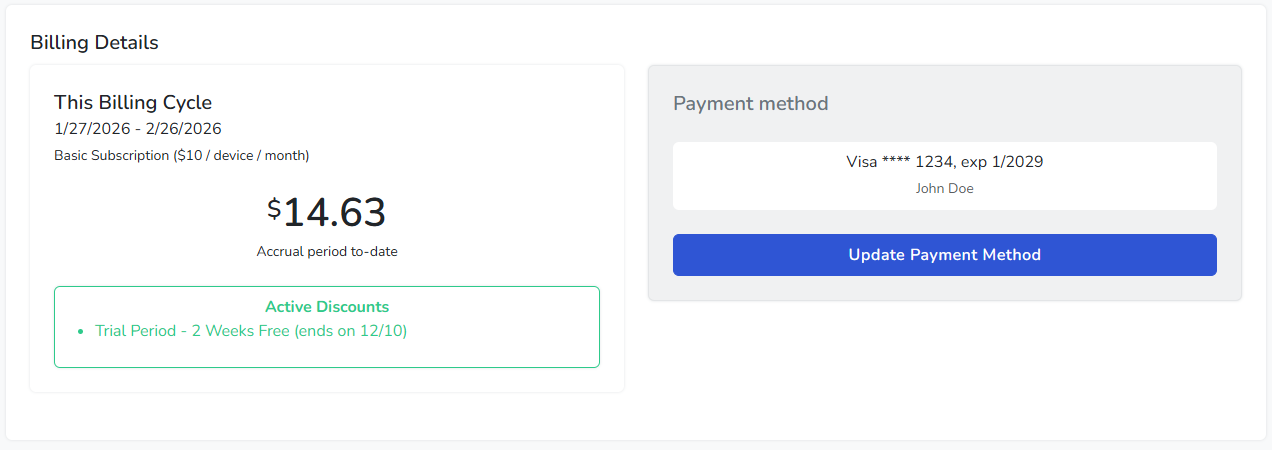
- An overview of the current billing cycle and accrued charges.
- Active discounts applied to the Organization.
- A history of invoices, including totals, taxes, and payment status.
- A daily breakdown showing device counts and charges for each day in the billing period.
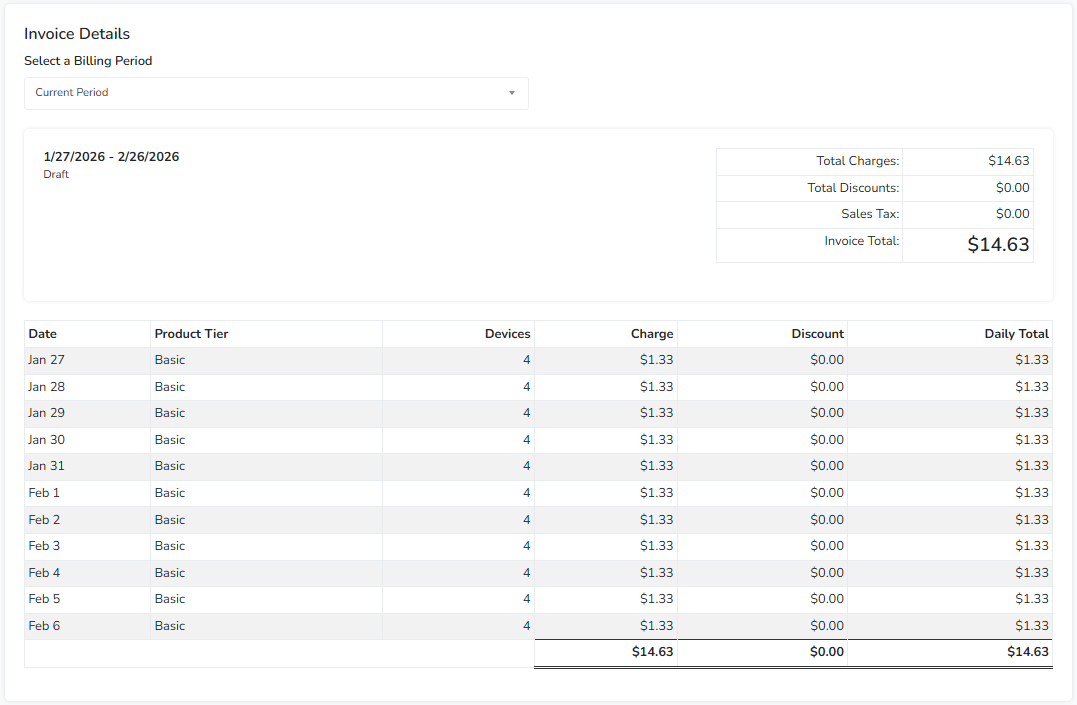
This level of detail is intended to provide full transparency into how charges are calculated and to make it easy to understand changes in usage over time.