Notifications Not Arriving
This document helps troubleshoot cases where expected email notifications are not arriving. Notifications are used to communicate important status updates and summaries, and they are controlled by settings in your user profile.
Notification preferences are configured per user and can be adjusted at any time.
Where Notification Settings Are Managed
Notification settings are located under My Profile in the portal.
Each user controls their own notification preferences. Changing these settings affects only your account and does not impact other members of the Organization.
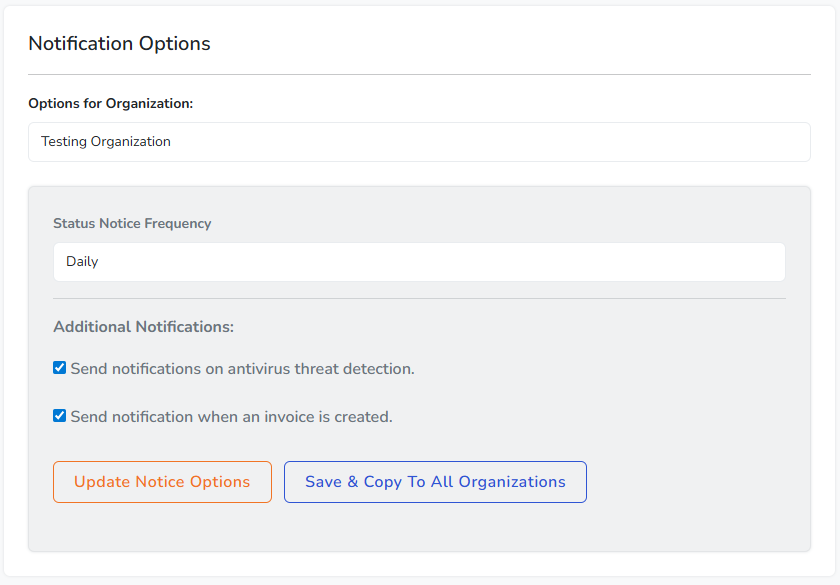
Status Notice Frequency
The Status Notice Frequency setting controls how often summary notifications are sent.
The available options are:
- Daily sends a summary email once per day.
- Weekly sends a summary email once per week.
- Never disables summary notifications entirely.
If notifications are not arriving, confirm that this setting is not set to Never.
Allow Time for Scheduled Notifications
Daily and weekly notifications are sent on a scheduled basis rather than immediately when events occur.
If you recently changed your notification settings, allow sufficient time for the next scheduled delivery window to occur before troubleshooting further.
Check Spam and Junk Folders
If notifications are enabled but emails are not appearing in your inbox, check your spam or junk folder.
Email filtering systems may occasionally misclassify automated messages, especially for new accounts.
Verify Email Address
Ensure that the email address associated with your Simplified Solutions account is correct and accessible.
If the email address was entered incorrectly or is no longer in use, notifications will not be delivered.
Email Security and Filtering
Some organizations use email security or filtering services that block or quarantine automated messages.
If notifications are expected but not received, reviewing mail gateway logs or allowing messages from Simplified Solutions can help ensure delivery.
When Notifications Are Not Sent
If Status Notice Frequency is set to Never, no summary notifications will be sent.
Additionally, notifications are only sent when there is relevant information to report for the selected time period.
Next Steps
If notification settings are correct, email delivery is functioning normally, and notifications are still not arriving, additional investigation may be required.
At that point, confirming your profile settings and providing the email address associated with your account can help support identify the issue more quickly.