Registering with Simplified Solutions
This document explains how to register for a Simplified Solutions account. Registration is designed to be fast and straightforward, allowing you to create an account and begin onboarding devices without unnecessary steps or delays.
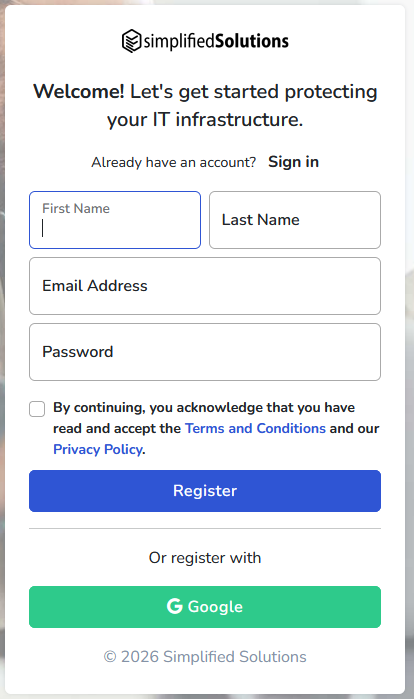
You can register using a traditional email address and password or by signing in with your Google account using OAuth. Both options provide the same access to the platform and can be used interchangeably after registration.
Registering with Email
To register using an email address, select the email registration option on the signup page. You will be asked to provide a valid email address and create a password for your account.
After submitting the registration form, you may be asked to verify your email address. This helps ensure account security and confirms that notifications and alerts can be delivered reliably.
Once registration is complete, you can sign in immediately and continue with setting up your first Organization.
Registering with Google
Simplified Solutions also supports registration using Google OAuth. This option allows you to create an account using your existing Google credentials without creating a separate password.
When you choose this option, you will be redirected to Google to approve access. Simplified Solutions receives only the information required to identify your account, such as your name and email address.
After approval, your account is created automatically and you are signed in to the platform.
Signing In After Registration
After your account is created, you can sign in using the same method you used during registration. Accounts registered with email use the email and password you created, while accounts registered through Google use Google sign-in.
If you registered using one method and later want to use the other, both options can be available for the same account as long as the email address matches.
Account Security
Protecting your account is important, as it controls access to your Organizations and Devices. Use a strong, unique password if you register with email, and ensure your Google account is secured with appropriate protections.
If you ever suspect unauthorized access, you can update your credentials and review account activity directly within the platform.