Email Verification
Email verification is used to confirm that the email address associated with your Simplified Solutions account is valid and under your control. This step helps protect your account and ensures that important notifications and alerts can be delivered reliably.
After registering, you will be prompted to verify your email address before continuing with full access to the platform.
Receiving Your Verification Code
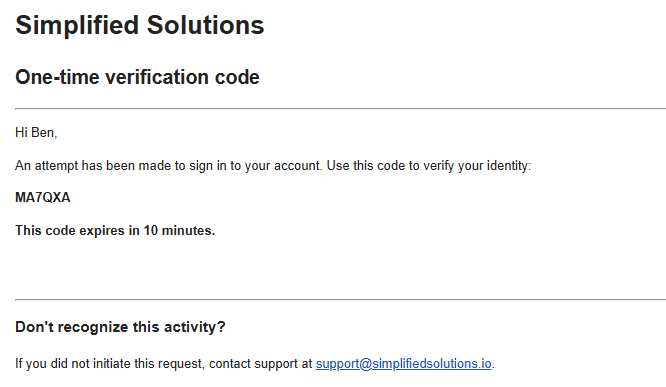
Once registration is complete, Simplified Solutions sends a verification email to the address you provided. This email contains a short verification code.
If you do not see the message within a few minutes, check your spam or junk folder. The email will be sent from an address associated with Simplified Solutions.
Entering the Verification Code
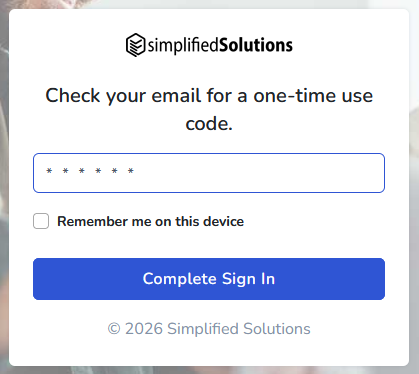
Return to the verification page and enter the code exactly as it appears in the email. Verification codes are time-sensitive and are designed to expire after a short period for security reasons.
If the code expires or is entered incorrectly, you can request a new code to be sent.
Accepting the Terms and Conditions
As part of the verification process, you will be asked to review and accept the Simplified Solutions terms and conditions.
To proceed, you must check the box confirming that you have read and agree to the terms. This acknowledgment is required before your account can be fully activated.
Completing Verification
After entering a valid verification code and accepting the terms and conditions, your email address is verified and your account becomes fully active.
Once verification is complete, you will be able to continue setting up your Organization and enrolling devices without further interruption.